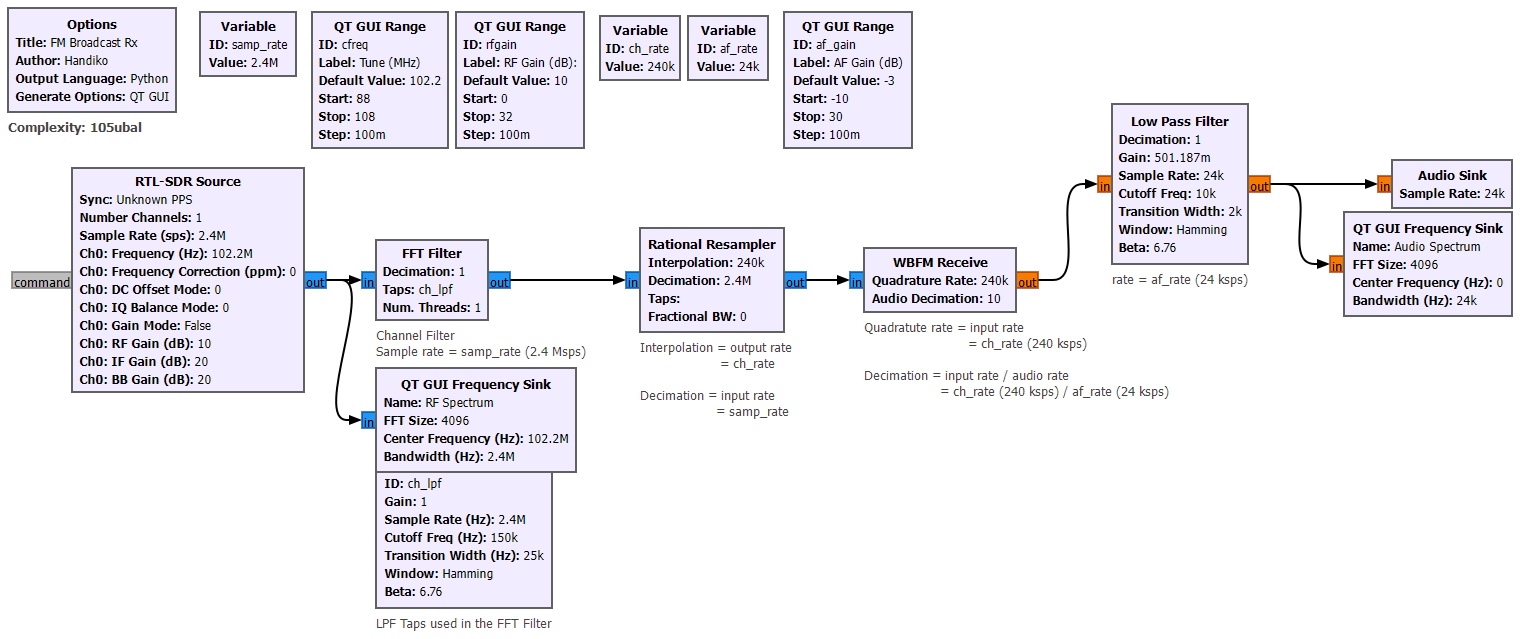
Figure 1: The complete GRC Flowgraph.
[ Home ] [ Prerequisites Hardware and Code ] [ Flowgraph ] [ The Processes ] [ How to Run ] [ Tips ]
Building an FM receiver is often considered the "Hello World" of Software Defined Radio (SDR). While modern chips do this automatically, using GNU Radio Companion (GRC) allows us to see inside the process. This tutorial explains how we take a high-frequency radio wave and transform it into audible sound using Digital Signal Processing (DSP).
gr-osmosdr blockset installed.Below is the complete architecture of the receiver. Every block represents a mathematical operation performed on the signal in real-time.
The process starts at the RTL-SDR Source block.
Visualizing the Raw Data: Before we do anything else, we look at the raw input. This image shows the full 2.4 MHz bandwidth. The "peaks" you see are various local radio stations.
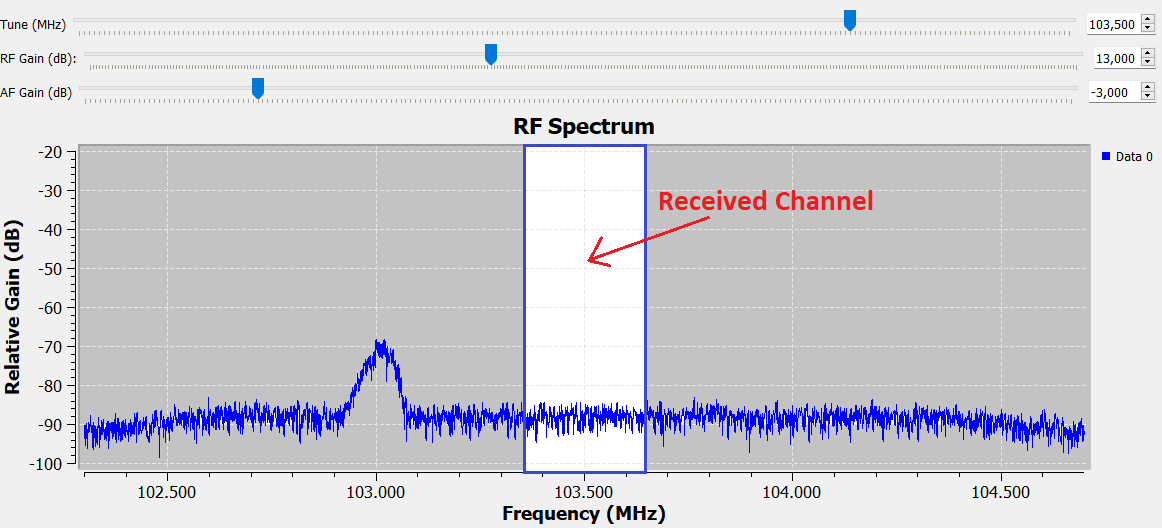
When we "tune" to a station, we are essentially shifting the entire spectrum so that our desired station sits at the 0 Hz (Baseband) center point.
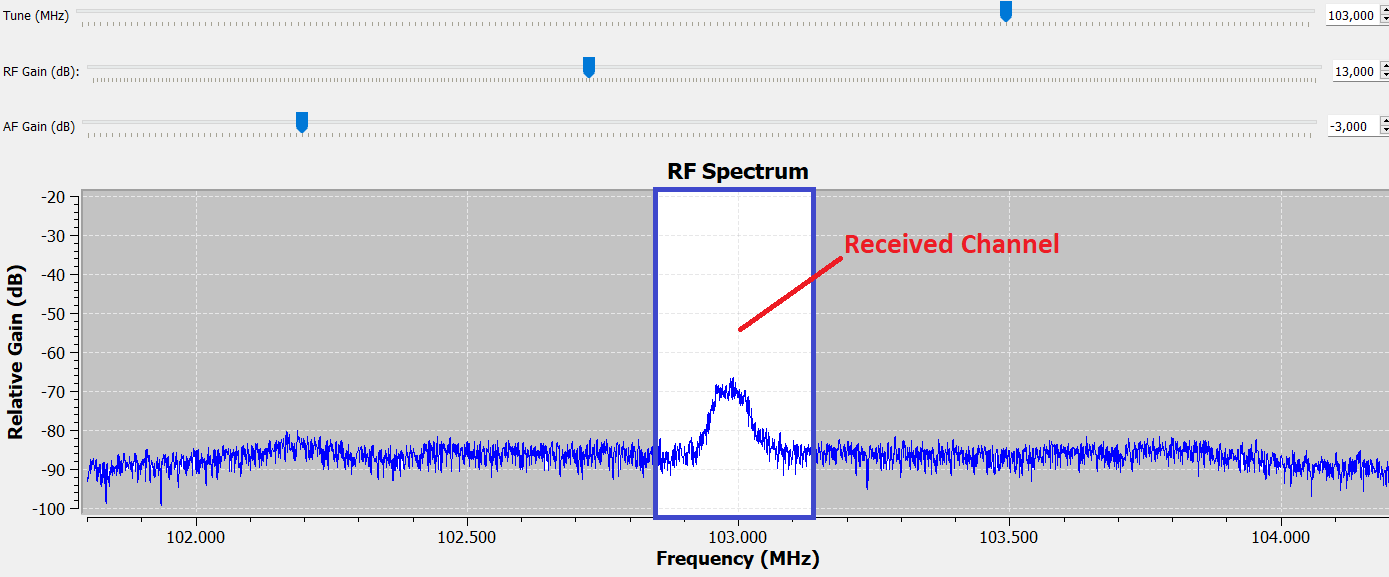
To isolate that station, we use an FFT Filter (Low Pass Filter):
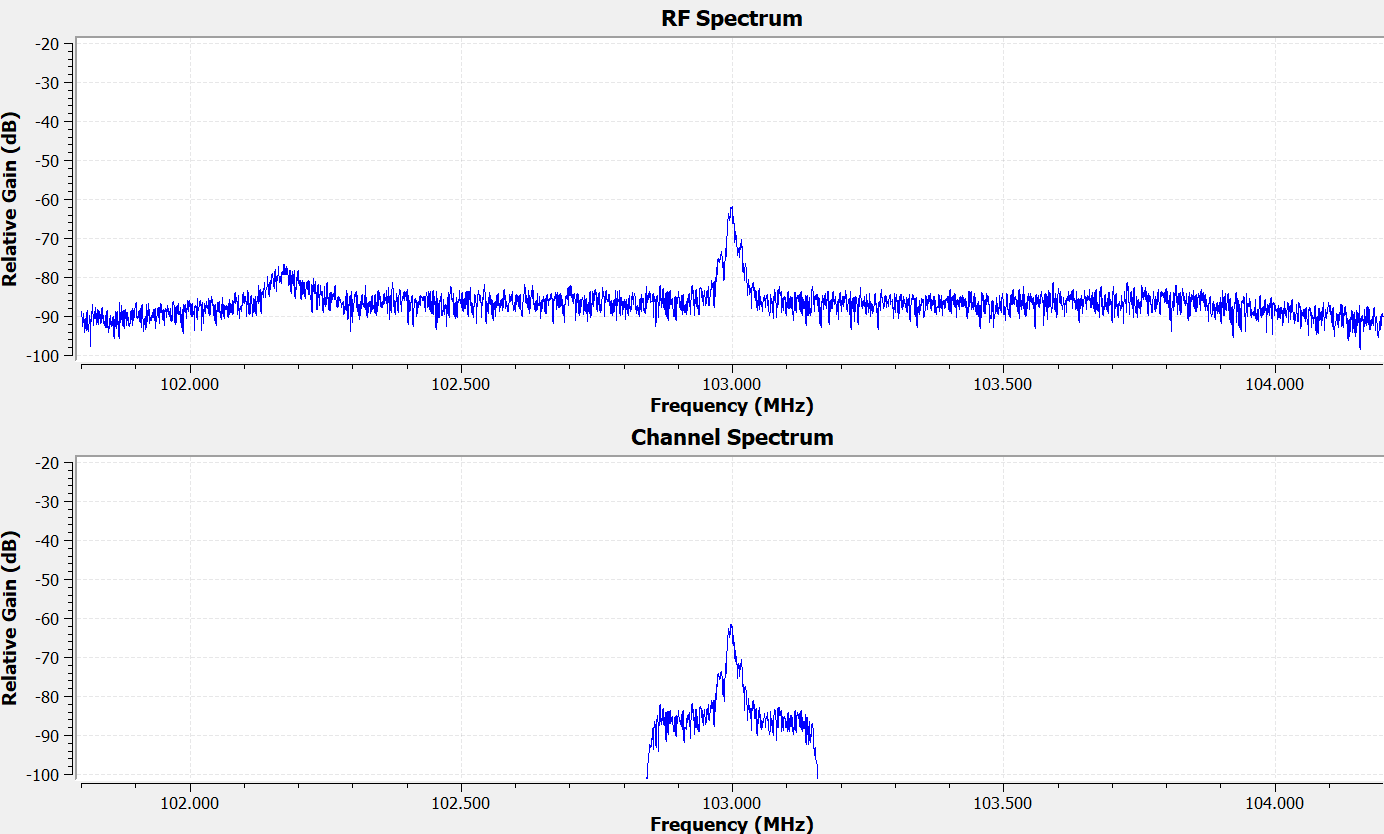
FM stations are technically 200 kHz wide. We use a slightly wider filter ( 240 kHz ) to ensure we don't "clip" the edges of the music (which causes distortion), while still blocking the neighboring stations.
The result after filtering:
Our computer doesn't need to process 2.4 million samples per second just to play audio that only requires 24 , 000 samples per second. Keeping the rate high would waste CPU power and potentially cause audio stuttering.
We use the Rational Resampler to Decimate the signal by a factor of 10.
As you can see below, the signal looks the same, but the "X-axis" (the sample rate) has been scaled down significantly.
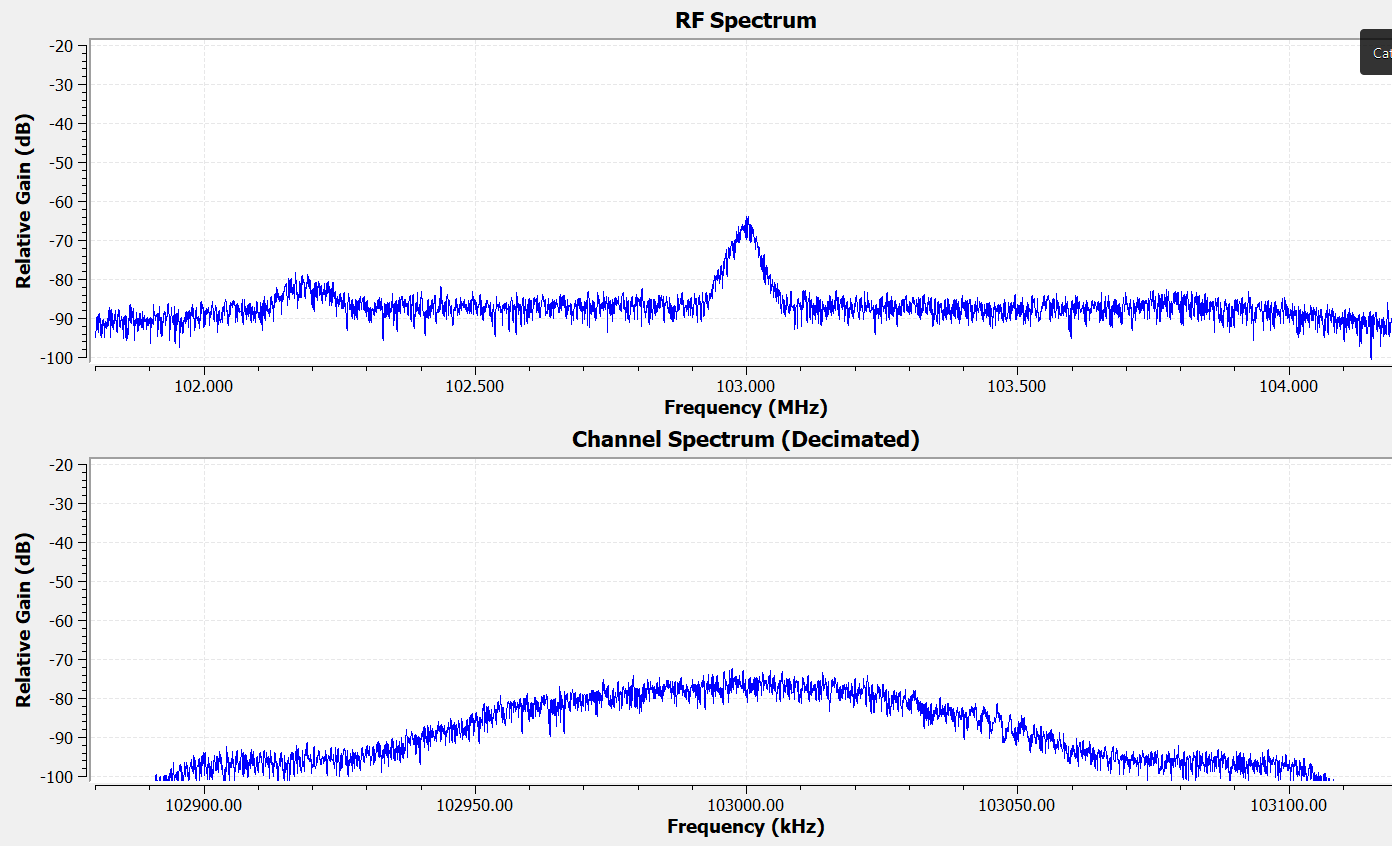
Up until this point, the data is still Complex IQ data (Radio waves). The WBFM Receive block performs the mathematical magic of "Quadrature Demodulation." It looks at the change in frequency over time and converts that into a change in voltage (Audio).
Even after demodulation, there is often high-frequency "hiss" or static. We add a final Low Pass Filter with a cutoff of 10 kHz to clean up the audio.
73 de YB1SDL
This page was handcrafted in plain HTML. No Java, No Flash.
Last Updated: February 17, 2026